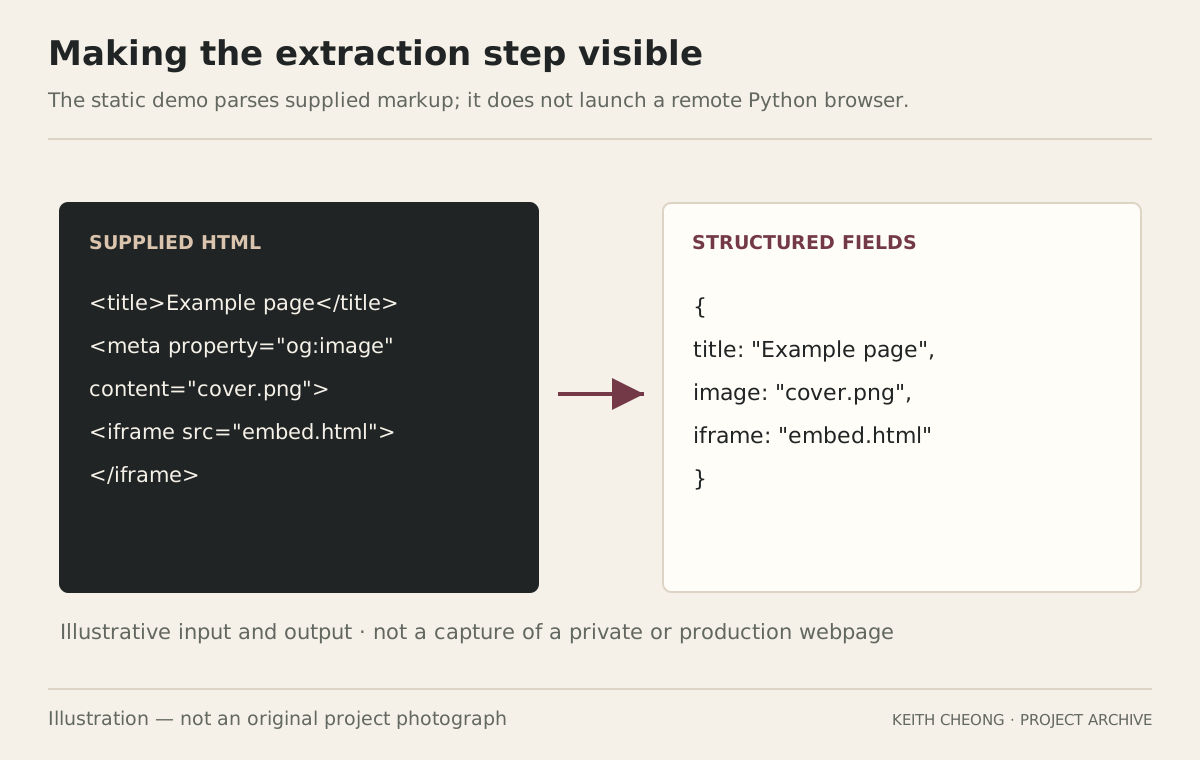
A browser demonstration of field extraction from supplied HTML; it does not run the original Python service or a remote Chromium browser.
Original recordImplementation and debugging recorded
This presentationCase study + HTML extraction demo
The archive confirms implementation attempts and troubleshooting. A complete, successful deployment of the original Python service is not confirmed.
An overview of the idea and its boundaries.Illustration — not an original project photograph
中文摘要
Python 網頁資料抽取工具
我曾實作並除錯 Python、Playwright、Chromium 與本地 API,目標是取得網頁標題、封面圖片和 iframe 連結。原工具是否完整部署仍未確認。這次瀏覽器示範用提供的 HTML 展示抽取流程,不是原有 Python 後端。
01
Why browser automation
Some pages construct their content with JavaScript. I explored Playwright because a browser can load and render that content before the extraction step, unlike a simple request that may receive only an initial HTML shell.
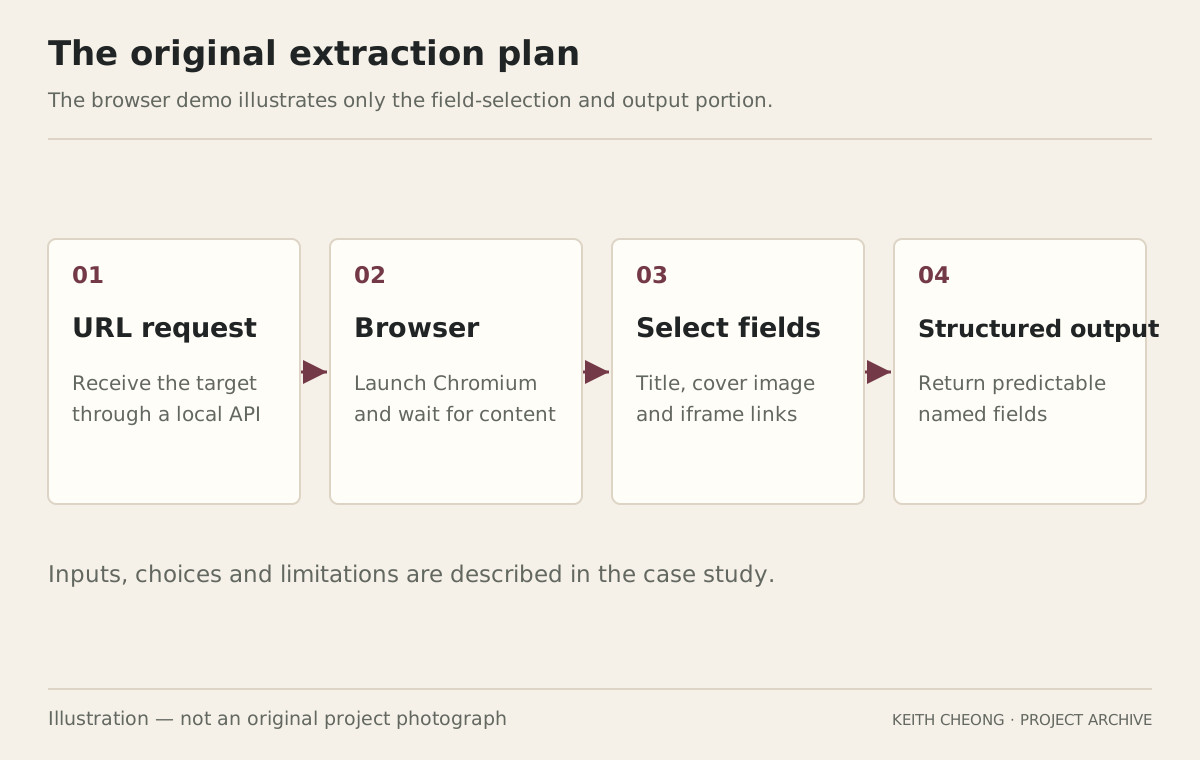
The intended workflow accepted a URL, opened the page, selected specific fields and returned a structured result. My target information included the title, a cover-image address and embedded iframe links.
02
The implementation problems
The work included checking Python installation and PATH, installing the Playwright Chromium browser, investigating browser-download failures and checking whether the local API service was running.
These were different failure points. A missing browser binary, an unreachable local endpoint and content that has not finished loading can look similar from the outside, but each requires a different check.
03
What is available here
The case study preserves that implementation and debugging experience without claiming the original service was successfully deployed. The new static demo makes the extraction step visible using supplied HTML.
That reconstruction is narrower than the original plan: it is not a remotely hosted Python API and does not prove that every JavaScript-heavy site can be extracted. It is a practical way to discuss field selection and structured output.
04
What I learned
Separate environment setup from application logic.
Check browser installation before diagnosing page behaviour.
Check that a local service is listening before debugging an API call.
Distinguish initial HTML from the rendered document.
The browser demo illustrates only the field-selection and output portion.Illustration — not an original project photograph
Official documentation on opening and interacting with pages.
About this record
Source for implementation history: my supplied My Project Archive. The new browser demonstration is separate from the unverified original local deployment.
All diagrams on this page are newly made explanatory illustrations. They do not replace original photographs, test results or source files.